
Danmaku and emoji
Live messages, emoji, and interaction information are arranged for legibility at TV viewing distance.
Douyin on Apple TV
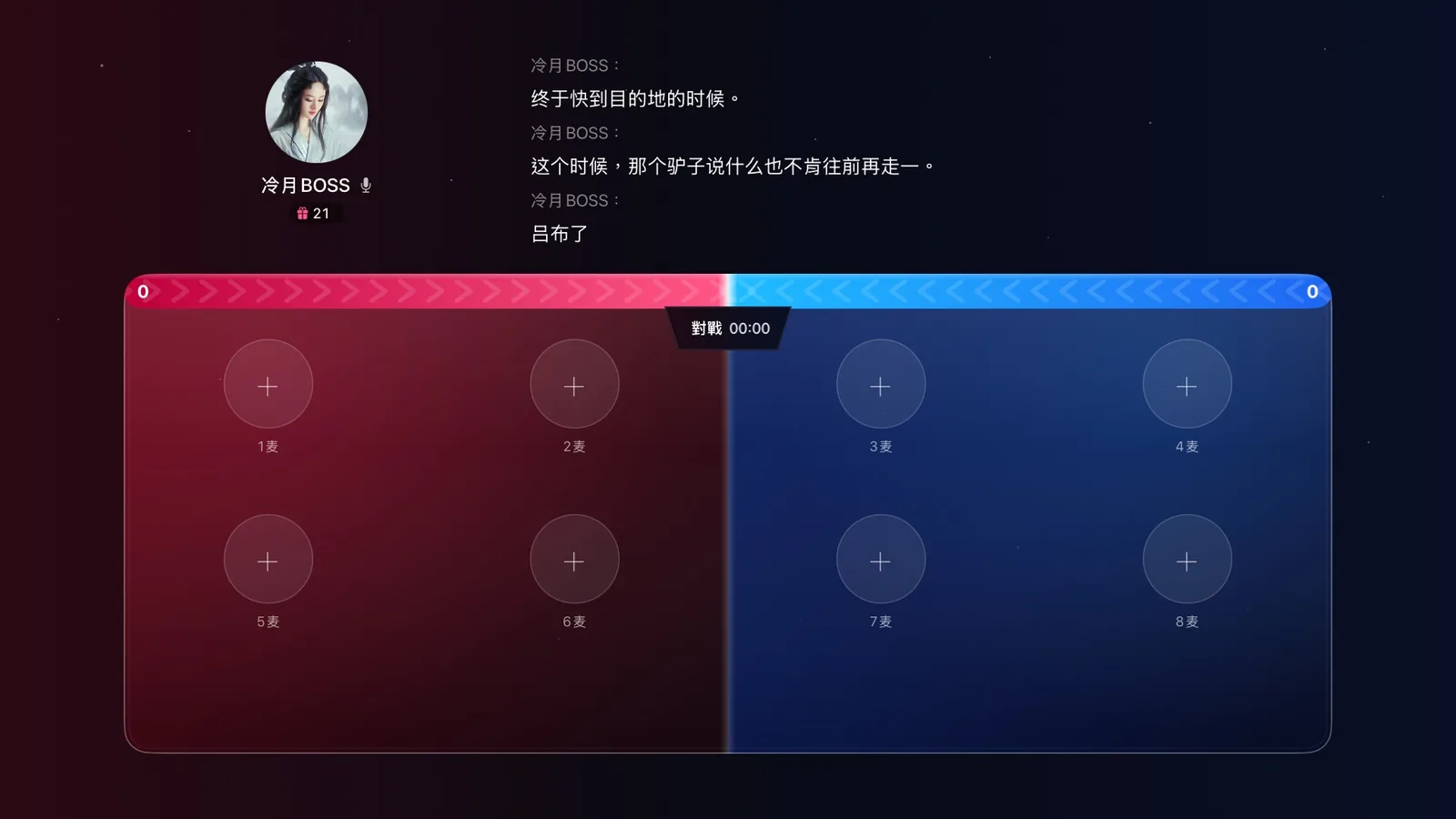
Blissy reorganizes Douyin (the Chinese TikTok) discovery, recommendations, follows, favorites, and history for the big screen. Inside a live room, danmaku, emoji, gift information, LinkMic, and PK remain part of the experience.
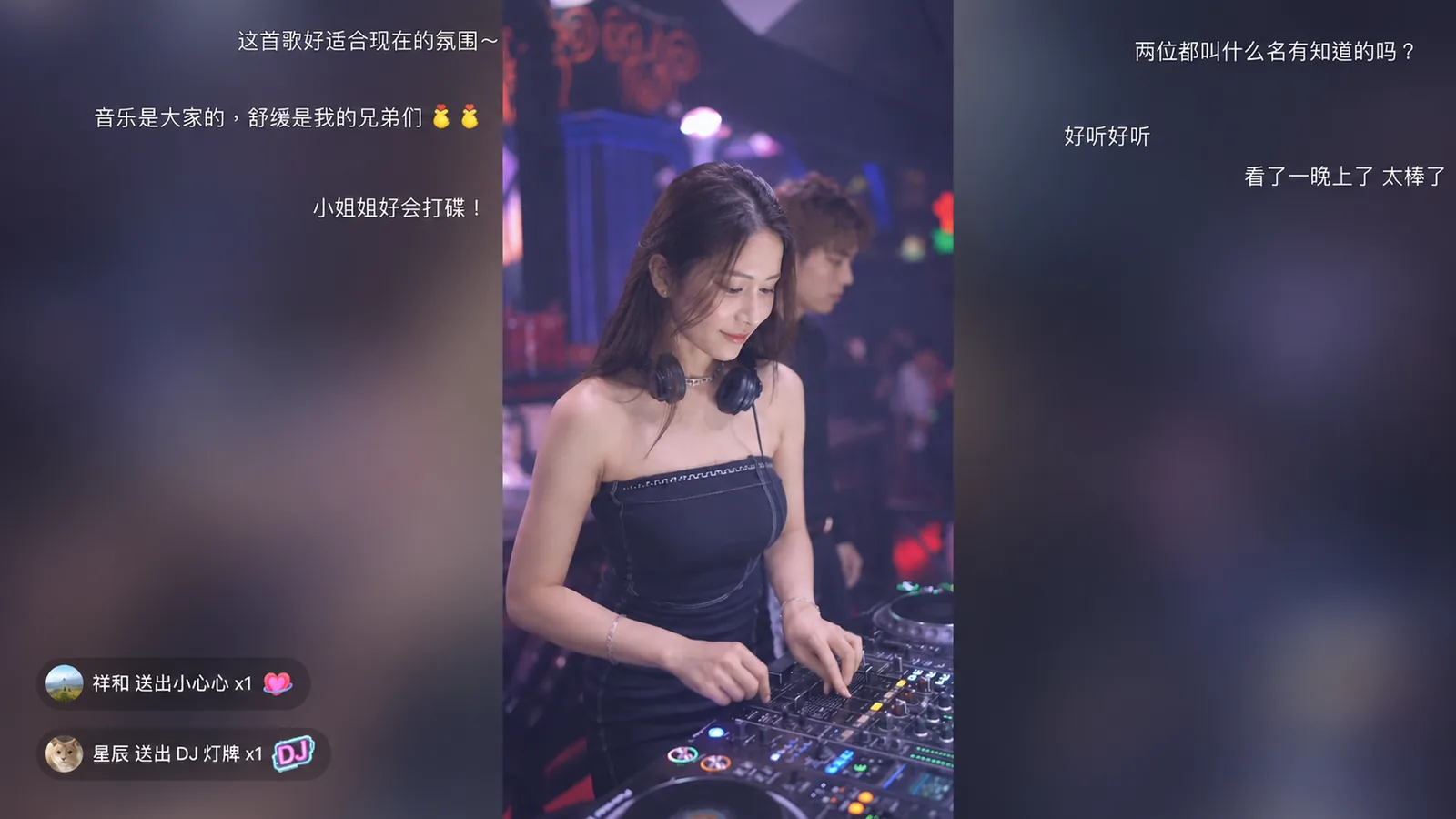
Phone-sized live interaction does not map cleanly to a ten-foot interface. Blissy adjusts information density and control hierarchy so the video stays watchable while meaningful live context remains available.
Live messages, emoji, and interaction information are arranged for legibility at TV viewing distance.
Gift events can include the sender, icon, gift name, and quantity without leaving the main live view.
Multi-host LinkMic, PK, and related host information appear according to the live-room context.
Blissy also handles Douyin discovery, recommendations, follows, likes, favorites, and history so you can browse on tvOS and move into video or live content instead of landing in an isolated player.
Discovery, recommendations, follows, likes, favorites, and viewing history.
Webcast messages, emoji, Gift, LinkMic, PK, and multi-host interaction.
Quality, speed, subtitles, danmaku, PiP / Multiview, Live Translate, and mirroring share the same player system.
Yes. Blissy opens Douyin live rooms natively on tvOS. Vertical streams are fitted to the TV layout, and danmaku, emoji, gifts and PK information are shown alongside, with no phone mirroring required.
No. Blissy also includes Douyin content navigation and video viewing flows. Live rooms are simply the most interaction-rich part of the experience.
Blissy presents PK and multi-host information according to the live context. Product screenshots on this site come from actual Blissy UI unless a behavior illustration is explicitly labeled.
Yes. Blissy Remote can accept a query on iPhone or invoke search through Siri / Shortcuts, then show the Douyin search results on Apple TV.
Blissy is the main tvOS app. Add Blissy Remote only when you want iPhone search, direct controls, Shortcuts, and Automation.